How to use spreadsheets for Making Tax Digital
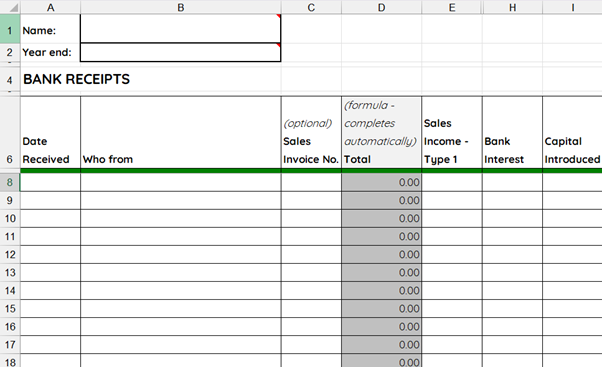
Despite the advantages of using software, what if you’re happy using spreadsheets for your bookkeeping and don’t want to change? In this blog, I explore a free bridging software solution that enables you to keep using spreadsheets and still comply with Making Tax Digital.
Making Tax Digital and spreadsheets
If your combined income from self-employment and rental property, before deducting expenses, was over £50,000 in the 2024-25 tax year – you are likely to need to comply with HM Revenue & Customs’ new Making Tax Digital requirements from 6th April.
You can still keep your records in a spreadsheet, but you will need a way of digitally transferring your figures directly from the spreadsheet to HMRC four times a year.
As a minimum, your spreadsheet will need to contain the key transaction data required by HMRC: transaction date, amount and category. So a list of what you received and paid out without any dates isn’t enough; nor is a list of dates and amounts without any descriptions.
To comply with Making Tax Digital, you will need to connect your spreadsheet to HMRC’s computer system using “bridging software”. If you use an accountant, they may have bridging software they can use to submit quarterly updates to HMRC on your behalf. But what if you don’t use an accountant? Is bridging software something you’re going to be forced to pay for?
Do you have to pay for bridging software?
When the plans for Making Tax Digital were being developed, HMRC said its intention was that no unincorporated small business (sole trader or landlord), that was not registered for VAT and had no employees, should have to pay for software to comply with Making Tax Digital.
Whilst HMRC don’t provide any free Making Tax Digital for Income Tax software themselves, they have been actively encouraging software developers to consider producing free software for small businesses.
This fortunately means that there are some free bridging software solutions available – as well as paid-for versions, some of which may have additional features.
Free bridging software
My Tax Digital by Open Answers is a free cloud-based software package that offers two options for Making Tax Digital:
- To import figures from your own spreadsheet for submission to HMRC (bridging software)
- To keep digital records of your income and expenses in their software
Depending how you’ve set your spreadsheet up, bridging software can be tricky to set up. For this reason, many bridging software providers don’t sell their products directly to small business owners. However, the My Tax Digital package can be used by small business owners as well as accountants.
The way it works, is that My Tax Digital provides a template to add as an extra sheet in your own spreadsheet. You then “map” your spreadsheet to the template. Mapping involves creating a digital link between all the transactions in your spreadsheet and the boxes on the template (which is a form designed to look like the self-employed pages of your Tax Return).
The next step is to upload the spreadsheet into My Tax Digital and – crucially – review and cross-check the imported figures to your original records to make sure everything has been included and there are no errors in the mapping.
You can then submit your quarterly update to HMRC from within the My Tax Digital software.
Support for doing your own bookkeeping
Springreach Training & Coaching offers accountability and professional support to anyone who is self-employed and wants to learn how to handle their own bookkeeping – including managing their own Making Tax Digital quarterly updates, if relevant.
Your accountant is likely to be the best place for you to get support for Making Tax Digital – but, if your accountant doesn’t offer bookkeeping training or software support, Springreach Training & Coaching can help you learn how to do your own bookkeeping throughout the year. You can then do your own quarterly updates and only use your accountant at the end of the year.
If you are interested in submitting your own quarterly Making Tax Digital updates to HMRC and would like no commitment shared access to a qualified accountant to guide and support you, even if only temporarily until you get the hang of it, you might be interested in joining the Springreach DIY Bookkeeping Community, which opens its doors for the first time on 6th April 2026.
We’re offering a founder member rate of £15 per month to the first 10 people who sign up. Founder members retain the preferential rate for as long as they remain a member. The regular price will £25 per month. No commitment, cancel any time. If you’re interested in joining, please take a look at the Community page on our website. It would be great to welcome you on board!